
Google Display in 2026: what changes with Demand Gen and how to use it in B2B

Updated in September 2026. Dates, rules and specifications in this article were checked in the official documentation of Google Ads and Microsoft. When a number is a claim by Google itself, that is stated in the text.
Summary
- The Google Display Network places ads on partner sites, apps and videos, while the person reads or watches. It is not search: the ad appears without anyone having searched.
- The Display campaign as you knew it is ending. Since May 2026, Google has been moving the Display Network into Demand Gen campaigns. Voluntary migration began in June, then automatic migration follows, and the transition should end by 2027.
- What stays: remarketing, customer lists, custom audiences, contextual targeting, exclusions and the same bid types. What it gains: video, carousel, AI image creation and channel control, including the option to run only on the Display Network.
- In B2B, Display yields more as remarketing to those who already visited the website and on industry portals. Without exclusions, a good part of the budget goes to apps and accidental clicks.
- Remarketing and customer lists depend on advertising consent under the LGPD. It is the point almost nobody mentions.
- There are alternatives: Taboola, Teads (formerly Outbrain), Criteo and the Microsoft Audience Network, which in Brazil lets you target by LinkedIn data.
What the Google Display Network is (and what it is not)
The Display Network is the set of Google’s partner sites, apps and videos that display ads. When a news portal, a trade magazine or a blog sells ad space through Google, Display Network ads appear there: at the top of the page, on the side or in the middle of the text.

The difference from search is the moment. On the Search Network, the ad responds to something the person typed. On the Display Network, it appears while the person is doing something else. That is why Display doesn’t capture demand: it creates recall and brings back those who already know you.
How many sites are part of the network?
It depends on which Google page you read. Google Ads help talks about 35 million sites and apps; another page of the same help talks about more than 3 million sites and apps that reach more than 90% of connected people; and the official May 2026 announcement talks about 2 million sites, videos and apps. The counts use different criteria. The most recent number is the 2026 one, and the point that matters doesn’t change: the reach is huge, and that is exactly why controlling where the ad appears is what separates a good campaign from an expensive one.
Timeline: from Display to Demand Gen
- March 2025: Demand Gen campaigns gain channel control, and the partner video inventory starts to be called the Google Display Network inside Demand Gen.
- April 2025: image ads start to run on the Display Network through Demand Gen.
- May 26, 2026: Google announces that Display campaigns will have a new home in Demand Gen.
- June 2026: the voluntary migration tool begins, in phases, inside the Google Ads account.
- Later (no date announced): new Display campaigns can only be created in Demand Gen, and the remaining campaigns will be migrated automatically, without action from the advertiser.
- By 2027: expected completion of the transition.
In practice: those who run Display today will migrate, by choice or automatically. The question is not "if", it is "when and with what care".
Where the ad appears and who sees it

Demand Gen displays ads on five channels: YouTube (including Shorts), Gmail, Discover, Google Maps and the Display Network. Channel control lets you turn each one on and off, and you can run only on the Display Network, which is what Google recommends during migration to keep the old campaign’s behavior.
On the viewer’s side, control also exists. In Google’s My Ad Center, anyone can turn off personalized ads, see why an ad appeared and hide ads they don’t want to see. Those who turn off personalization still see ads, but are no longer reached by remarketing and interest-based audiences.
Formats and specifications
With the move to Demand Gen, Demand Gen’s image ad specifications apply:
| Asset | Recommended | Minimum |
|---|---|---|

| Horizontal image (1.91:1) | 1200 × 628 | 600 × 314 |
| Square image (1:1) | 1200 × 1200 | 300 × 300 |
| Vertical image (4:5) | 960 × 1200 | 480 × 600 |
| Vertical image (9:16) | 1080 × 1920 | 600 × 1067 |
| Logo (1:1), required | 1200 × 1200, up to 150 KB | 128 × 128 |
| Headline | up to 40 characters (recommended: 3 or more) | |
| Description | up to 90 characters (recommended: 3 or more) | |
| Company name | up to 25 characters | |
It is up to 20 images per ad, with a maximum of 5 MB each. Google combines the assets and assembles the ad in the format of each space. That is why it is called responsive.
Google’s best practices for images: product or service in focus, good quality and natural light. And what to avoid: text or logo overlaid on the image, fake buttons, collages, digital white background and blurry or inverted images.
B2B ad example
A fictional example, for a packaging equipment manufacturer, within the limits above:
- Headline: Automatic packaging for your line
- Description: Custom machines for food and beverages, with technical assistance throughout Brazil.
- Company name: up to 25 characters
- Image: the machine working on a real line, with no overlaid text.
- Destination: a page about the packaging line, not the home page.
How the auction and bids work
Demand Gen uses automatic bidding. Those that remain in migration are: target CPA, maximize conversions, maximize conversion value, target ROAS and maximize clicks. For target CPA campaigns, Google recommends a budget of at least 10 times the target CPA, and suggests optimizing for lighter conversion events, which happen more often, such as a visit to an important page.
In B2B, this recommendation weighs. If a qualified contact costs R$ 300, the recommended budget to use target CPA is above R$ 3,000. That is why the most common path is to start with maximize clicks or maximize conversions on a light event, such as a visit to the quote page, and move to target CPA when there is conversion volume.
Targeting: weak and good examples in B2B
Migration keeps the main forms of targeting: remarketing, customer lists (Customer Match), custom audiences, contextual targeting and placement exclusions. Demand Gen adds lookalike segments, which look for people similar to those who already bought or visited the website.

- Remarketing. Weak: all website visitors in the last 540 days. Good: those who visited product or quote pages in the last 30 days and didn’t fill out the form.
- Custom audience. Weak: "industry" and "factory". Good: people who searched technical terms of your solution or visited competitors’ and suppliers’ sites in the same industry.
- Customer list. Weak: uploading the whole contact base. Good: separating current customers (to exclude or upsell) from open opportunities in the CRM (to reinforce the proposal).
- Context and placement. Weak: letting Google choose any site. Good: portals, trade magazines and association sites in your industry, with the rest under exclusion.
- Lookalikes. Weak: similar to all visitors. Good: similar to the list of customers who signed a contract.
How much it costs and how to set up the pilot budget
Google doesn’t publish click or impression prices, because everything comes from the auction. A B2B Display pilot usually starts with remarketing, which has a smaller and more qualified audience. One way to size it, with example values only:
- example budget: R$ 50 per day;
- 30 days of campaign: R$ 1,500 in media;
- focus: visitors to product and quote pages in the last 30 days, only on the Display Network and with exclusions.
The goal of this first month is to learn: how many people in the audience see the ad, how many return to the website and how many ask for a quote. The real cost only shows up with the campaign running, and depends on audience size, competition and ad quality. To understand the difference between media budget and management fee, see management fee and media budget.
Step by step: create in Demand Gen or migrate
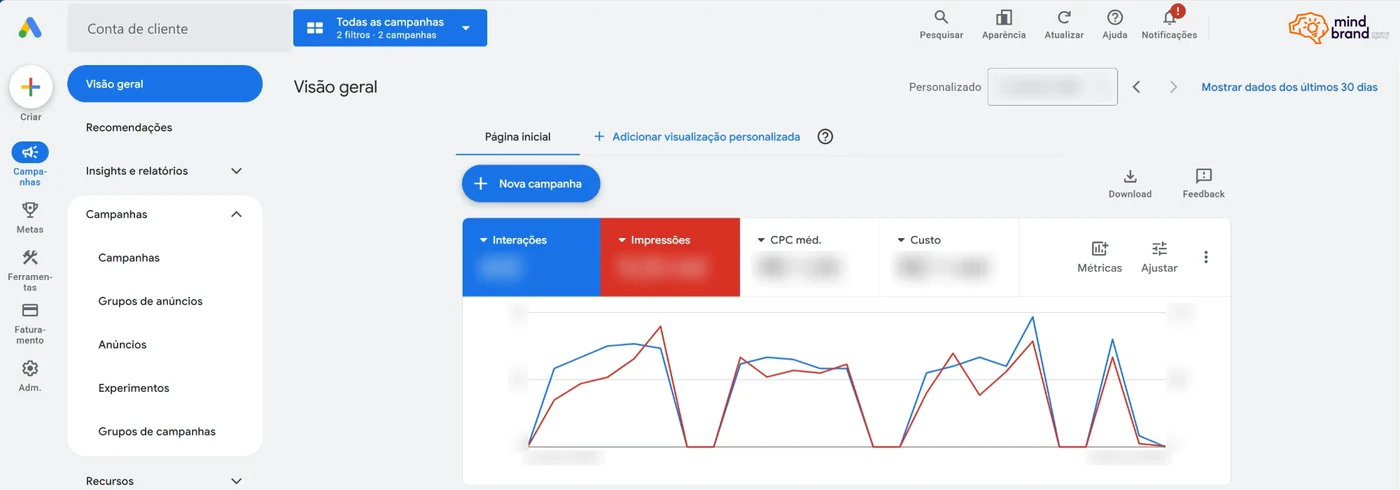
For those who are starting
- Set up conversions first of all. Demand Gen requires conversion tracking. Define a main event (quote request) and a light one (visit to the quote page).
- Create a Demand Gen campaign under "New campaign" and choose the objective and the bid.
- Adjust the channels: for a Display pilot, leave only the Display Network on.
- Build the audiences (remarketing, customer list, custom) and apply the exclusions.
- Upload the assets in the table formats, with the logo, which is required.
- Review the landing page and the UTMs before activating.
For those who already have a Display campaign
- The migration tool carries over the performance history of the last 42 days, which cuts learning to about 1 to 2 days.
- The migrated campaign gets the same name with "#2" at the end and keeps the status of the original.
- Migrated ads are treated as new and go through approval again.
- Migration can’t be undone: the migrated campaign cannot go back to being a Display campaign.
- Google’s recommendation: keep only the Display Network on in the channel controls right after migrating, to compare with the history.
LGPD: remarketing, customer lists and consent
Remarketing works with Google’s tag on your site, which writes advertising cookies to recognize who visited. Customer lists work by sending Google emails and phone numbers from your base, which are converted into encrypted codes for matching. Both are processing of personal data for advertising.
The safest reading of the LGPD and of the ANPD’s cookie guide is that advertising cookies require consent. In practice, with Google’s Consent Mode, if the visitor doesn’t accept advertising cookies, they don’t enter the remarketing lists. A site that uses legitimate interest only for analytics cookies, with advertising denied by default, simply doesn’t feed remarketing. That is the case of our own site today.
- For remarketing: a cookie notice with the option to accept advertising cookies, and the tag respecting that choice.
- For customer lists: a base collected with clear information of use for advertising and a privacy policy that cites Google. Google’s own policies require this.
- For both: an updated privacy policy, with Google as a recipient and the purpose explained.
This is not legal advice, and each case deserves review by your legal team. The same reasoning applies to other platforms’ pixels, as we explain in LGPD and the OpenAI pixel.
Landing page
Whoever clicks a Display ad wasn’t looking for you at that moment. The page needs to pick the subject up quickly: the same product as the ad, right above the fold, with a single call to action and concrete proof. Sending the click to the home page wastes the little attention the ad managed to get. The principles are the same we detail in the ChatGPT Ads landing page.
Mandatory exclusions in B2B and accidental clicks
Without exclusions, the ad goes anywhere in the network, including mobile apps and games, where accidental clicks are common and the B2B buyer is rarely present. It is the point where the most budget is lost in Display.

- Apps and games: exclude the app categories where your buyer is not.
- Content: use the content and sensitive category exclusions to protect the brand.
- Placements: review every week where the ad appeared and exclude what has no relation to your industry.
- Current customers: exclude the customer list from prospecting campaigns.
Display x Search x Demand Gen x Performance Max x ChatGPT Ads
| Moment | Signal used | Best use in B2B | |
|---|---|---|---|
| Search | The person is searching | What they typed | Capture demand that already exists |
| Display (in Demand Gen) | The person is reading or watching | Audience and context | Remarketing and presence on industry portals |
| Demand Gen with all channels | Browsing and video | Audiences and lookalikes | Create demand with video and image |
| Performance Max | All Google channels | Google’s automation | When there are conversions in volume for the automation to learn |
| ChatGPT Ads | The person is comparing in a conversation | Conversation context | Test in categories accepted by OpenAI |
For Performance Max and the AI changes in Google Ads, see Performance Max: more visibility into where the budget runs. For ChatGPT, see ChatGPT Ads x Google Ads x Meta Ads.
Alternatives to Google Display
The Google Display Network is not the only way to appear on content sites. The main alternatives:
| Platform | How it works | When to consider in B2B |
|---|---|---|
| Taboola | Native ads in portal recommendation blocks ("you may also like"). Since 2025, the Realize platform aims at outcomes such as lead generation. | Distributing content (articles, studies) on high-audience portals. |
| Teads (formerly Outbrain) | Outbrain bought Teads in February 2025 and adopted the Teads name in June. It combines native ads and video on content sites. | Content and video on news portals, with a brand focus. |
| Criteo | Remarketing and retail media, with ads assembled from a product catalog. | When there is a large product catalog, such as distributors and online B2B stores. |
| Microsoft Audience Network | Ads on MSN, Outlook, Edge and partners. Lets you target by LinkedIn data: company, industry, job function and, since June 2026, seniority. Available in Brazil. | The most B2B display option: reaching specific job titles and companies outside LinkedIn. |
| LinkedIn Ads | Ads inside LinkedIn itself, not on third-party sites. | When the buyer’s job title and company are the main criterion. |
Taboola, Teads and Criteo are part of what we call programmatic media, which we operate in the advertising and paid media service.
Policies and restrictions
Google restricts personalized ads (remarketing and interest audiences) in sensitive categories, such as health, financial difficulties, religion and sexual orientation, and applies extra rules to sectors such as credit, employment and housing in some countries. Customer lists also have their own usage policy. Before building audiences, check whether your industry has any restriction in Google’s personalized advertising policy.
Is it worth it for B2B companies?
- It makes sense for remarketing to those who visited the website, a long sales cycle, a brand little known in the industry and presence on portals and trade magazines.
- It makes little sense as the main source of new contacts without remarketing, with a budget too small to learn, or without exclusions.
- It doesn’t replace Search. Those who search for your solution are on Search; Display works before and after that search.
Google states that advertisers who added the Display Network to Demand Gen campaigns had 9.5% higher return on investment, and, on another page, 16% more conversions. These are Google’s own numbers, with no cut for B2B or for Brazil.
Migrate now or wait for the automatic migration?
Migrating on your own has a clear advantage: you choose the moment, review audiences, exclusions and ads, and follow the result calmly. With automatic migration, the change happens when Google decides. As migration can’t be undone and the ads go through approval again, the best is to migrate during a period with no critical campaign running, with the before-and-after comparison planned.
Common mistakes
- Running without exclusions: budget in apps, games and accidental clicks.
- Remarketing without consent: LGPD risk, and lists that don’t grow.
- Measuring by click or impression: in B2B, what matters is the qualified contact. Set up conversions first.
- Using target CPA too early: without conversion volume, the automation doesn’t learn.
- Image with overlaid text and fake button: goes against Google’s best practices and reduces delivery.
- Sending the click to the home page.
- Waiting for the automatic migration without looking at the account: disapproved ads and a stopped campaign without anyone noticing.
What is coming
- End of the old Display campaign: creation only in Demand Gen and automatic migration, with completion by 2027.
- Google Maps as a channel of Demand Gen, still in an early phase.
- More creation with AI: generation of images and ad variations inside Google Ads.
- More control by channel and by format in the Demand Gen reports.
Checklist before investing or migrating
- Conversions set up: one main event and one light.
- Advertising consent in the cookie notice, if you will use remarketing.
- Audiences defined: remarketing of key pages, separate customer list, custom.
- Exclusions applied: apps, games, sensitive content and current customers in prospecting.
- Assets to standard: images in the table’s aspect ratios, logo, headlines and descriptions.
- Specific landing page and standardized UTMs.
- Migration plan: date, before-and-after comparison, and review of disapproved ads.
Glossary
- Google Display Network: partner sites, apps and videos that display Google ads.
- Demand Gen: campaign type that displays ads on YouTube, Gmail, Discover, Maps and the Display Network.
- Responsive ad: an ad assembled automatically from images, headlines and descriptions, in the format of each space.
- Remarketing: ads to those who already visited your site or app.
- Customer Match (customer list): audiences created from emails and phone numbers of your base.
- Lookalike segments: people similar to a source audience, such as those who already bought.
- Target CPA: automatic bidding that seeks a cost per conversion defined by you.
- Placement exclusion: sites, apps or categories where the ad should not appear.
Frequently asked questions
Is Google Display going away?
The Display campaign as a separate type, yes. The Display Network continues to exist, but is now operated inside Demand Gen campaigns. Voluntary migration began in June 2026, then automatic migration follows, with completion expected by 2027.
Am I required to migrate my Display campaigns?
Over time, yes. Campaigns that you don’t migrate will be migrated automatically. Migration can’t be undone and the ads go through approval again, so it is worth planning.
Can I run ads only on the Display Network in Demand Gen?
Yes. Channel control lets you leave only the Display Network on, and Google recommends this right after migration.
Does Google Display work for B2B companies?
It works best as remarketing to those who already visited the website and on industry portals, with well-done exclusions. As the main source of new contacts, it usually yields less than Search.
How much does it cost to advertise on Google Display?
Google doesn’t publish a price: the cost comes from the auction and depends on the audience, the competition and the ad. For target-CPA bidding, Google recommends a budget of at least 10 times the target CPA. A remarketing pilot can start with a small, controlled daily budget.
Do I need consent to do remarketing?
The safest reading of the LGPD (Brazil’s data protection law) is that yes, because remarketing uses advertising cookies. With Google’s Consent Mode, those who don’t accept these cookies don’t enter the remarketing lists.
What are the alternatives to Google Display?
Taboola, Teads (formerly Outbrain), Criteo and the Microsoft Audience Network, which lets you target by LinkedIn data and is available in Brazil. LinkedIn Ads is another option, but the ads stay inside LinkedIn itself.
Want to know whether Display makes sense for your company?
The Business Diagnostic analyzes your company’s market, competition and digital presence before any proposal, including which media channels make sense for your sales cycle. To see how we build campaigns, see the advertising and paid media service and the Generate demand solution.
Sources
- Google: Google Display Ads has a new home in Demand Gen (May 2026)
- Google Ads Help: Google Display Ads campaigns have a new home in Demand Gen
- Google Ads Help: Google Display Network integration with Demand Gen
- Google Ads Help: About Demand Gen campaigns
- Google Ads Help: Demand Gen image specifications
- Google Ads Help: About the Google Display Network
- Google Ads Help: best practices for responsive display ads
- Microsoft Advertising: targeting by LinkedIn profile
- Teads: Outbrain completes the acquisition of Teads
- Taboola: launch of the Realize platform
- ANPD: Guidance guide Cookies and personal data protection